
A Simple Blogging Workflow for Busy Businesses
Running a small business leaves little room for staring at blank screens. Between client calls, operations, and keeping the lights on, finding time to write a 1,500-word blog post can feel impossible. Yet businesses that blog consistently attract more organic traffic, generate more qualified leads, and build stronger authority in their markets. Producing good content through a structured workflow is essential for building authority and engaging your audience.
The solution isn’t working harder or finding magical extra hours. It’s having a simple blogging workflow that removes the guesswork and turns content creation into a predictable, manageable task. To succeed, you need to stay consistent with your blogging schedule, as consistency is key to long-term success.
Consistency is more effective than frequency; publishing one high-quality post per month is often better than posting daily low-quality content. Focus on delivering good content regularly to achieve the best results.
Introduction to Blogging
Blogging is more than just sharing updates—it’s a strategic way for businesses to build authority, connect with their audience, and drive meaningful traffic to their website. A well-defined blog workflow is the backbone of effective content creation, helping you stay organised and focused throughout the entire process. By establishing a clear blogging workflow, you can streamline your content creation process, save time, and consistently deliver quality blog posts that resonate with your audience.
A strong blogging workflow ensures that every piece of content you create serves a purpose, aligns with your business goals, and supports your overall content strategy. Instead of scrambling to come up with ideas or rushing to meet deadlines, you’ll have a repeatable process that keeps your blog on track and your website fresh. This not only boosts productivity but also helps you maintain a steady flow of valuable content, which is essential for attracting new visitors and keeping your existing audience engaged.
Whether you’re just starting a new blog or looking to improve your current process, focusing on a structured workflow will help you create better content, reach more people, and achieve your traffic and revenue goals. In the following sections, we’ll share practical tips and strategies to help you build a blogging workflow that works for your business.
Key Takeaways
- A simple, repeatable blogging workflow can help a small or medium business publish one strategic post per week in under 90 minutes total.
- The workflow runs through five concrete stages: plan, outline, draft, optimise, and promote/repurpose.
- Every post should support specific business goals such as more qualified website enquiries, better Google rankings, or showcasing recent client work.
- Tools like Google Docs, Asana or Trello, and WordPress SEO plugins (e.g. Yoast or Rank Math) keep the entire process organised and fast.
- Pixel Fish uses this same type of workflow when helping clients plan content for their new WordPress or WooCommerce websites.
Why Busy Businesses Struggle To Blog Consistently
Picture this: a typical Australian business owner arrives at the office with a to-do list already overflowing. There are sales calls to make, client work to deliver, staff questions to answer, and invoices to chase. Somewhere on that list sits “write blog post” — but it keeps getting pushed to tomorrow.
This scenario plays out in businesses across Sydney and beyond every single day. The intention is there. The understanding that blogging drives traffic is there. But the execution falls apart because there’s no clear process for getting from blank page to published post.
The common blockers are predictable:
- Perfectionism — spending three hours polishing an introduction instead of finishing the whole article
- Blank-page syndrome — opening a document with no idea what to write about
- Endless research — falling down rabbit holes and never actually starting to write
- No clear structure — rambling drafts that never reach a conclusion
Consider a few examples we’ve seen firsthand. A plumbing business with excellent reviews publishes exactly one blog post per year — usually a rushed holiday greeting. A boutique law firm has 27 half-finished drafts sitting in Google Docs, none of them published. A local retailer spends weeks researching competitors’ content but never creates their own.

The frustration is real because the stakes are real. Blog content drives organic traffic from search engines. It warms up prospects before they pick up the phone. It answers questions that turn hesitant browsers into confident buyers. For service-based businesses especially, a well-maintained blog section can generate leads while you sleep.
Here’s the good news: once you know the steps, each post becomes a straightforward task rather than a creative marathon. A documented workflow removes the decision fatigue and lets you focus on simply filling in the boxes.
The Power Of A Simple, Repeatable Workflow
A blogging workflow is a fixed sequence of steps you follow for every post, from initial idea through to promotion. Think of it as a recipe — you don’t reinvent cooking from scratch each time you make dinner.
The difference between ad-hoc blogging (“I’ll write when I have time”) and a repeatable system is the difference between chaos and control. With a workflow, you can schedule posts four to eight weeks ahead. You know exactly what’s coming and exactly how long each step takes.
Time-boxing is the secret weapon here. Instead of open-ended “writing sessions” that stretch into hours, you allocate specific time blocks:
| Stage | Time Required |
|---|---|
| Pick a topic | 15 minutes |
| Create outline | 15 minutes |
| Write draft | 40 minutes |
| Edit and optimise | 20 minutes |
| Total | 90 minutes |
That’s one strategic blog post per week in under two hours total. Suddenly, “I don’t have time” becomes harder to justify.
Workflows also improve quality over time. Instead of starting fresh each month, you refine the same checklist. You discover which outline templates work best, which promotional channels drive traffic, and which topics resonate with your audience. The whole process gets smoother with every iteration.
At Pixel Fish, we encourage every web design client to document a lightweight content checklist alongside their new WordPress site. A beautiful website without a plan for fresh content is like a shopfront with empty shelves.
Step 1: Align Blog Topics With Business Goals
Blog posts should always serve a clear goal. Random articles about whatever crosses your mind won’t move the needle. Strategic content that targets specific keywords, addresses prospect questions, or showcases your expertise will.
Before you begin writing, you need an idea bank — a running list of potential topics you can draw from whenever it’s time to create content. This eliminates the “what should I write about?” problem entirely.
Create a simple content plan in Google Sheets or Notion with columns for:
- Topic title
- Target keyword
- Stage of buyer journey (awareness, consideration, decision)
- Priority (high, medium, low)
- Status
Here are concrete topic examples for typical service businesses in 2024:
- “2024 Guide to Choosing a Commercial Electrician in Sydney”
- “How Much Does a Custom WordPress Website Cost in Australia?”
- “5 Signs Your Small Business Needs a Website Redesign”
- “What to Expect When Working With a Web Design Agency”
The best source for blog ideas? Your own sales process. Mine your FAQs from sales calls, support emails, and proposal questions. What do clients ask before they sign? What concerns do prospects raise? One 30-minute session reviewing recent client interactions can generate at least 20 solid blog ideas.
Set a recurring monthly slot — just 30 minutes — to update your idea bank and lock in the next four weekly topics in advance. This transforms topic selection from a creative struggle into a simple administrative task.
Step 2: Do Fast, Practical SEO Research
Each post should target one primary keyword and a few related phrases. Not dozens. Just enough to signal to search engines what the article covers and to help the right content appear in search engine results.
The keyword research process doesn’t need to take hours. Here’s a quick 10-15 minute approach:
- Start with your topic — What would a potential customer type into Google?
- Check search volumes — Use free tools like Google Keyword Planner, Ubersuggest, or Ahrefs Webmaster Tools
- Assess competition — Is the first page dominated by major publications or are there smaller sites ranking?
- Note related phrases — These become secondary keywords and potential subheadings
For example, researching “WordPress web design Sydney” reveals related phrases like “small business website packages,” “fixed price web design,” and “custom WordPress development.” These become natural additions to your article.
Before you start writing, glance at the first page of Google for your target keyword. This tells you what searchers actually want:
- Are the top results how-to guides or service pages?
- Are they comparison articles or in-depth tutorials?
- What questions do they answer?
Understanding search intent prevents you from writing the wrong type of content. If everyone ranking is offering step-by-step guides, a sales-focused service page probably won’t compete.
Capture your research directly into your idea bank: the chosen primary keyword, three to five related terms, and three to five competitor URLs worth reviewing. This document becomes your brief for the next step.
Step 3: Build A 15-Minute Outline
A solid outline eliminates writer’s block. When you sit down to draft, you’re not staring at an empty page — you’re filling in sections that already have clear purposes.
Use a simple structure that works for most business blog content:
- Strong introduction — Hook the reader, state the problem, promise the solution
- 4-6 main sections (H2s) — Cover each key angle or step
- Optional sub-points (H3s) — Break complex sections into digestible chunks
- Conclusion with call to action — Summarise and direct the reader
Your SERP research from Step 2 guides your headings. What angles do top-ranking competitors cover? Include those, plus your own unique perspectives and local expertise. If competitors miss something important, that’s your opportunity to create more comprehensive content. Producing more content over time also helps you better serve your audience and maintain relevance.
Within your outline, note where you’ll add:
- Case studies or client examples
- Screenshots or images from recent projects
- Statistics or data points
- Internal links to service pages
Save two or three “go-to” outline templates in Google Docs for faster planning:
- How-To template — Step-by-step process articles
- Problem/Solution template — Identify pain, present fix
- Checklist template — Comprehensive resource guides
With templates ready, building an outline takes 15 minutes or less. You’re adapting a proven structure rather than creating from scratch. Batch writing sessions can further improve efficiency by allowing you to create more content in one sitting.
Step 4: Draft Quickly Without Overthinking
Drafting should happen in one focused sitting. Ideally 30-45 minutes. The outline is your roadmap — follow it without second-guessing every sentence.
Write in Google Docs for easy collaboration and version history, or directly in WordPress if you prefer. Enable spell-check and tools like Grammarly to catch obvious errors as you go. Grammarly quickly catches grammar, spelling, and style issues without extensive proofreading. Hemingway Editor improves readability by identifying complex sentences and suggesting simpler alternatives.

Your introduction matters most for keeping readers engaged. Write a direct, benefit-focused opening in three to four sentences:
- Name the reader (business owners, marketers, etc.)
- State their problem
- Promise what they’ll learn or gain
For example: “Most small business owners know they should be blogging. They also know they don’t have four hours to spend crafting the perfect post. This guide shows you how to publish quality blog content in under 90 minutes per week.”
Work through your outline section by section. Fill each bullet with one to three short paragraphs. As you draft each specific blog post, take time to edit and fine-tune your writing before publishing to ensure clarity and quality. If you hit a tricky spot, write “TODO” and move on. Momentum matters more than perfection in the drafting phase.
Finish with a conclusion that summarises key points and invites a specific action: book a consultation, download a resource, view your portfolio, or simply read a related article. Every post should guide readers toward the next step in their journey with your business.
Step 5: Edit, Optimise, And Prepare For Publishing
This stage is about clarity, structure, and basic SEO — not perfection. Resist the urge to endlessly polish. Good enough and published beats perfect but sitting in drafts.
Run through these key editing passes:
- Tighten long sentences — If a sentence runs over 25 words, consider splitting it
- Add subheadings — Break up any section longer than 300 words
- Convert dense text to bullet points — Lists are easier to scan
- Check each section — Does it answer a clear question?
For on-page SEO in WordPress, follow this checklist:
| Element | Action |
|---|---|
| Title tag | Include target keyword naturally |
| URL slug | Keep short, include primary keyword |
| First paragraph | Mention target keyword within first 100 words |
| H2 headings | Use keyword or related phrases in at least one |
| Meta description | Write compelling 150-160 character summary with keyword |
Add internal links to two to four relevant pages on your site — services, About, contact form, or related blog posts. Include one or two reputable external resources where they add value for the reader.
Images matter for engagement and SEO. Add at least one relevant image, diagram, or screenshot per post. Compress files for fast loading, write descriptive alt text, and check how the post appears on mobile view before publishing.
Step 6: Publish, Promote, And Repurpose
Clicking hit publish is only the midpoint. A blog post sitting unread on your site doesn’t generate leads or build authority. Promotion is where the returns actually happen.
Follow a simple launch checklist:
- Publish in WordPress — Final formatting check
- Request indexing — Submit URL via Google Search Console
- Share immediately — Don’t wait for the “perfect moment”
Promote each new blog through two to three core channels:
- LinkedIn — The business owner shares with a personal comment
- Email list — Brief newsletter mentioning the new post
- Facebook or Instagram — Summarise the key takeaway with a link
The real efficiency gain comes from repurposing. One blog post can become:
- 3-5 social media posts (pull different quotes or tips)
- A short video script covering the main points
- Slides for a sales presentation or webinar
- An email sequence dripping out key insights
Pixel Fish clients can integrate this promotion step with their website’s blog feed and email sign-up forms. When systems connect, promotion becomes semi-automated rather than another manual task.
Step 7: Batch And Systemise Your Blogging
Batching similar tasks saves time and mental energy. Instead of context-switching between planning, writing, and formatting throughout the week, group related activities together.
Here’s an example weekly schedule:
| Day | Task | Time |
|---|---|---|
| Monday | Pick topics, update idea bank | 30 minutes |
| Tuesday | Build outlines for upcoming posts | 30 minutes |
| Wednesday | Draft one blog post | 45 minutes |
| Thursday | Edit, optimise, publish | 20 minutes |
Document your entire workflow as a simple checklist in a project management tool like Asana, Trello, or ClickUp. Create columns or stages:
- Ideas
- Outline
- Drafting
- Ready to Publish
- Live
Each blog post becomes a card that moves through the system. You can see at a glance what’s in progress and what’s coming next.
For teams, delegate portions of the workflow. Perhaps the owner handles strategy and outlines while an assistant manages formatting, image uploads, and social media scheduling. Clear task ownership prevents work from falling through cracks.
Review your workflow every quarter. Which steps are taking longer than expected? What’s actually driving traffic and enquiries? Remove unnecessary steps and double down on what works. A workflow should evolve as your business grows.
Team Collaboration and Communication
When it comes to producing high-quality blog posts, teamwork makes all the difference. A successful blog workflow relies on clear communication, well-defined roles, and the right tools to keep everyone aligned. Assigning specific tasks—such as topic research, drafting, editing, and publishing—ensures that each step of the content creation process is covered and nothing falls through the cracks.
Using collaborative tools like Google Docs allows multiple team members to contribute, comment, and review content in real time, making it easy to maintain quality and consistency. Project management platforms such as Trello or Asana help you track the progress of each blog post, set deadlines, and manage your content calendar, so your team always knows what’s next in the workflow.
Establishing a brand voice guide is another key part of team collaboration. By documenting your preferred tone, style, and messaging, you make it easier for everyone involved in content creation to produce blog posts that sound cohesive and on-brand. This consistency not only strengthens your brand identity but also builds trust with your audience.
By fostering open communication and leveraging the right tools, your team can streamline the blog workflow, improve content quality, and stick to a regular publishing schedule—ensuring your blog remains a valuable asset for your business.
Tools To Support Your Blogging Workflow
You don’t need dozens of apps. A minimal, reliable stack that your team will actually use beats a complicated setup that gathers dust.
Planning Tools
- Google Sheets or Notion — Content calendar and idea bank
- Asana or Trello — Tracking each post through the workflow stages
Creation and Editing Tools
- Google Docs — Collaborative drafting with version history
- Grammarly or Hemingway — Quick readability and grammar checks
- Canva — Simple featured images and social graphics
Website Tools
- WordPress — The CMS powering your blog and site
- Yoast or Rank Math — SEO plugins for on-page optimisation
- Caching/image optimisation plugins — Ensure fast page load times
Promotion and Analytics Tools
- Mailchimp or MailerLite — Email newsletters
- Meta Business Suite and LinkedIn — Social media scheduling
- GA4 and Google Search Console — Traffic and keyword tracking
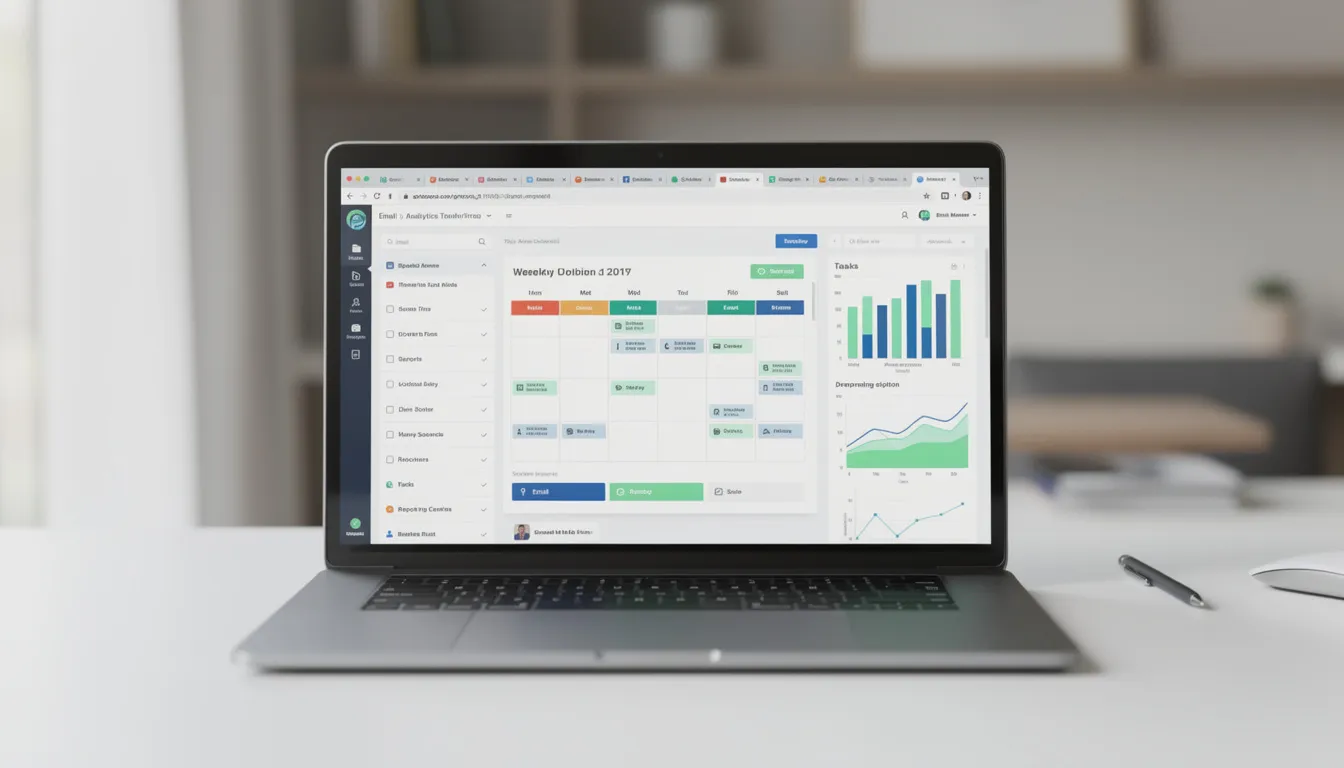
The right tools depend on your team size and budget. Solo business owners can run the entire process with free tools. Larger teams might invest in paid plans for better collaboration features. Start simple and add complexity only when needed.
How Pixel Fish Uses This Workflow With Clients
Pixel Fish is a Sydney-based WordPress agency that builds websites designed to be supported by ongoing blogging. A great-looking site is just the foundation — the content you publish determines whether that site attracts traffic and converts visitors.
During new web design or redesign projects, Pixel Fish often helps clients map out their first six to twelve blog topics. These align with key service pages and priority keywords, ensuring the content strategy supports business goals from day one.
Blog templates get set up in WordPress during the build phase. Consistent layouts, typography, featured image styles, and calls to action mean posts are fast to publish. You’re not fiddling with design decisions each time — just dropping in your content.
For clients on ongoing website care plans, basic content support options include uploading client-written posts, optimising them for SEO, and ensuring they link from key landing pages. The technical side gets handled so business owners can focus on the writing.
If you need both a professional WordPress site and a clear, sustainable content plan, consider a strategy call with Pixel Fish. We’ll discuss your revenue goals, map out a content approach, and build a site designed to support your long-term digital marketing success.
Enhancing Digital Marketing Efforts
A well-structured blog workflow is a cornerstone of any successful digital marketing strategy. By consistently publishing high-quality, keyword-optimised content, you can improve your website’s visibility in search engines, attract more qualified traffic, and generate leads that support your revenue goals. Integrating your blog workflow with your broader digital marketing efforts ensures that every post works harder for your business.
Staying consistent with your blog schedule also makes it easier to plan and execute social media campaigns. Each new blog post provides fresh content to share across your social channels, keeping your audience engaged and driving more visitors back to your website. Tools like CoSchedule can help you coordinate your content promotion, automate social sharing, and save time—so you can focus on creating the right content for your audience.
By aligning your blog workflow with your digital marketing strategy, you create a system that not only delivers quality content but also amplifies your online presence. This approach helps you reach new audiences, nurture existing relationships, and ultimately drive more conversions for your business.
Measuring What Matters: Tracking Blog Performance
Busy owners should monitor a few key metrics rather than getting lost in complex dashboards. Focus on signals that indicate whether your content is actually working.
Track organic traffic to your blog section via GA4. Look at trends over three to six months rather than daily fluctuations. New blog posts take time to rank — patience matters more than checking stats every morning.
Set up goals or conversion events in GA4 to track actions that matter:
- Contact form submissions
- Quote or consultation requests
- Email newsletter sign-ups
- Phone calls from the site
When you can connect specific blog posts to actual leads, you understand which topics deserve more attention.
Review Google Search Console monthly to see which keywords each post ranks for. Look for opportunities where you’re appearing on page two — small content updates might push you onto page one. Also identify gaps: what are people searching for that you haven’t covered yet?
Establish a simple review rhythm. Once per quarter, list your top-performing posts, decide which to update with fresh information, and identify gaps for new articles. This keeps your content working hard without requiring constant attention.
Bonus Tips for Success
Ready to take your blog workflow to the next level? Here are some bonus tips to help you maximise your results:
- Prioritise keyword research: Use tools to identify high-value keywords and topics your audience is searching for. This ensures your blog posts are optimised for search engines and have the best chance of ranking well.
- Leverage templates: Create and use writing templates for different types of posts—such as how-tos, checklists, or case studies—to streamline your writing process and maintain consistency across your blog.
- Repurpose your content: Turn blog posts into social media updates, email newsletters, or downloadable resources to extend their reach and impact without starting from scratch.
- Engage with your audience: Respond to comments, ask questions, and encourage feedback to build a community around your blog. This interaction can provide valuable insights and ideas for future content.
- Monitor and analyse performance: Regularly review your blog’s analytics to see which posts are driving the most traffic and engagement. Use these insights to refine your workflow, focus on what works, and continuously improve your content strategy.
By implementing these bonus tips, you’ll refine your blog workflow, boost your productivity, and drive more targeted traffic to your website. Remember, a successful blogging workflow is an ongoing process—keep experimenting, learning, and optimising to achieve the best results for your business.
Creating a Simple Blogging Workflow for Busy Businesses: FAQ
How often should a small business publish new blog posts?
Once per week is an excellent target for most small and medium businesses. However, even one well-optimised post every two weeks can build significant momentum over a year. That’s 26 quality articles addressing customer questions and targeting valuable keywords.
Consistency matters more than volume. A realistic schedule you can actually maintain beats a burst of 10 posts followed by six months of silence. Your audience and search engines both reward reliability.
Consider starting with a 90-day trial of one post per week. After three months, review your traffic and enquiry data. Are certain topics driving more engagement? Is the schedule sustainable? Adjust your cadence based on real results rather than arbitrary rules.
How long should each blog post be to help with SEO?
For most B2B and service topics in 2024, 1,000 to 1,800 words is a practical range. This allows you to answer questions in depth without overwhelming readers or padding content with fluff.
The priority is completeness and clarity. A 900-word article that fully solves a problem will outperform a 2,500-word article that rambles. Focus on answering the reader’s question thoroughly rather than hitting an arbitrary word count.
Before writing, check the average length of current top-ranking posts for your target keyword. Aim to be similar or slightly more comprehensive. If competitors average 1,200 words, writing 800 words might leave gaps. But writing 3,000 words probably won’t help either.
Can we outsource parts of this workflow without losing our brand voice?
Absolutely. Many successful businesses keep strategy and outlines in-house while outsourcing research, first drafts, or formatting to freelancers or agencies. The key is documenting how your brand should sound.
Create a short brand voice guide covering tone (professional, casual, technical?), phrases to use or avoid, and two or three example posts that demonstrate the right style. Share this with any external writers before they begin.
Pixel Fish clients sometimes provide bullet point notes or rough drafts, which are then shaped, formatted, and optimised by our team before publishing. This lets business owners focus on their expertise while ensuring posts meet quality and SEO standards.
What if our industry is highly regulated or technical?
Legal, financial, and medical fields require extra care, but the same workflow still applies. You’ll simply need longer research and review stages built into your process.
Have subject-matter experts create outlines and review final drafts while a content specialist handles structure, clarity, and SEO. This division of labour keeps the process moving without compromising accuracy.
Build an internal approval checklist so compliance or legal teams can sign off on posts before they go live. Include this as a formal stage in your project management tool. Posts don’t move to “Ready to Publish” until compliance has reviewed them.
Do we still need a blog if we’re active on social media?
Yes — they serve different purposes. Social media posts are temporary. They appear briefly in feeds, then disappear into the algorithm. Blog content on your own domain builds long-term search traffic and establishes lasting authority.
Blogs and social media work best together. Every new article powers multiple LinkedIn, Facebook, and Instagram updates. One piece of blog content can fuel a week or more of social posts, making your overall content marketing far more efficient.
Owning your content on a WordPress or WooCommerce site also protects you from algorithm changes or platform policy shifts. You control the experience, the data, and the relationship with your audience. Social platforms can change their rules overnight — your website cannot be taken away.
Take your business to the next level with a Pixel Fish Website.
Further Information
What Is An Email Workflow And How Can I Use Them Effectively?
Project Management Software Solutions for a Website Project
How to Build a Blog that Actually Helps Your Inbound Marketing
How to Start a Successful Blog to Boost Your Business Website
What Makes an Engaging and Successful Australian Business Website?
How to Create the Best Website Structure to Boost SEO
$16 Billion Opportunity: Why your business must embrace online selling
Top WordPress Web Design Agency Services for 2025